
SpartanPort 3.0.0: the launcher is now Rust, with no Python. Updating from 2.7.0 through the launcher keeps your saves and settings. These notes cover the 27 pull requests merged since 2.7.0, through
a2299cd(#1150), including the version bump to 3.0.0. 2.8.0 was never published: its launcher work ships here.
Updating from 2.7.0
- Windows: update through the launcher as usual. The 2.7.0 launcher downloads 3.0.0 and the new launcher installs itself over the old folder. Saves,
user/,spartanport.ini, launcher settings, mods, patches andlast_run.logare not touched. On its first start the new launcher removes the old Python files (_internal/,run.py,scripts/*.py);scripts/controller_diagrams/stays. - Linux: download
spartanport-x86_64.AppImagefrom this release and replace the old file. The launcher keeps offering updates from here on. - Settings carried over: the launcher imports your previous settings. Shader notes in the corner stay off, and the new High FPS Wall Seam Fix patch is ticked once in a saved patch list; untick it and it stays unticked.
- First start: the shader cache is rebuilt once and each area can stutter the first time you enter it.
The new launcher (#959)
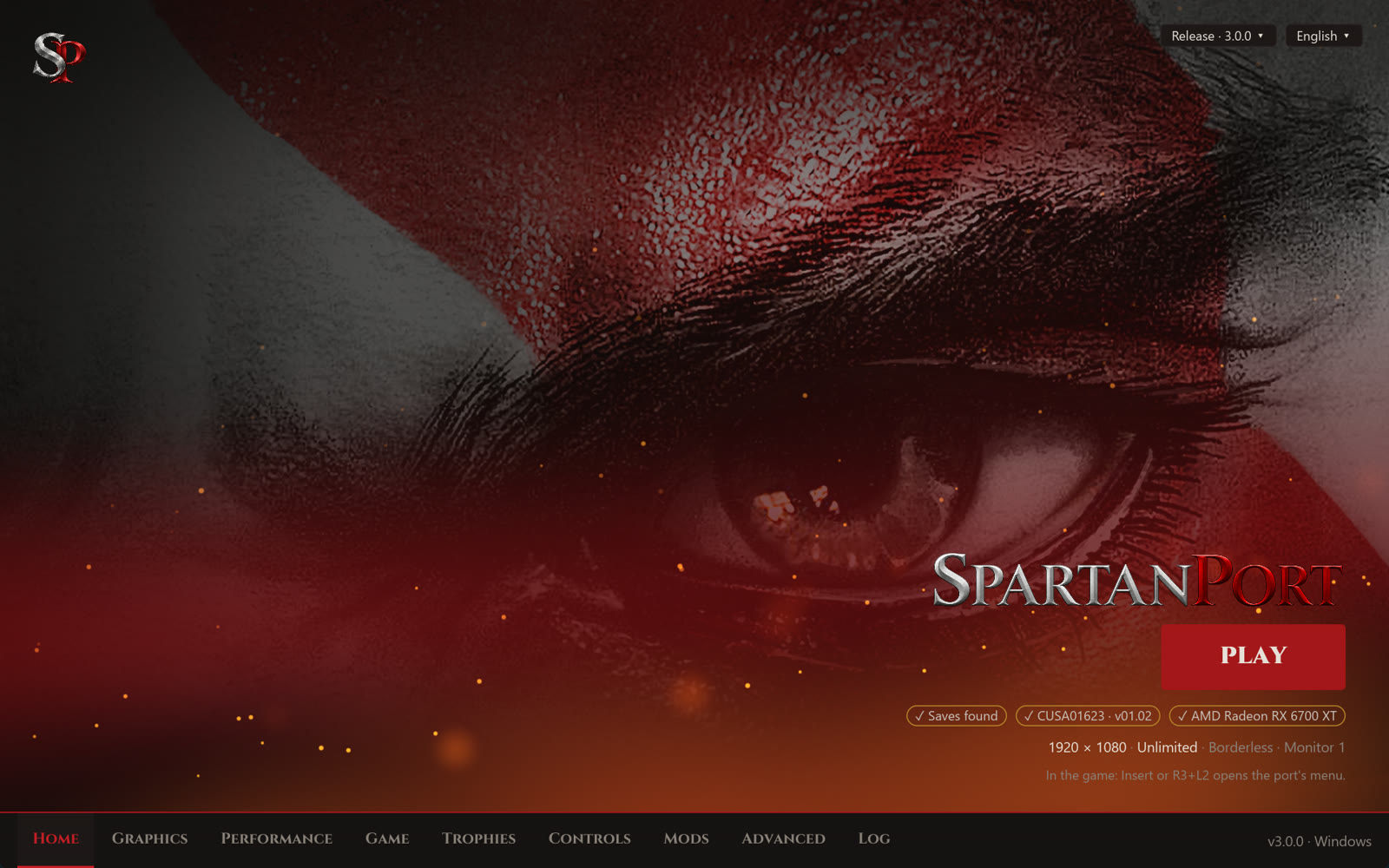
- One program, no Python (#959). Before:
SpartanPort.exewas a PyInstaller bundle with an_internal/folder, and Play ranrun.py. Now: a single Rust executable on Windows and Linux opens the window, prepares and starts the game, adds it to Steam, installs updates and swaps voices (--voice-swap). The packages carry no Python and no frozen interpreter. - Same files, same keys:
settings.json,spartanport.ini,mods.json,patches.jsonandmods_presets.jsonare read and written as before, in the same 14 languages, with the first-run setup, mods, patches, Discord presence, shortcuts and the version menu. - Auto GUI Scale (#1109): the new default fits the window to the screen, so text is readable on scaled desktops (Retina Macs at 2x, 4K at 150%). 1x and 1.5x behave as before.
- Dark title bar on Windows (#956, issue #914).
- Ko-fi link for anyone who wants to support the project (#1110).
| 
|
| 
|
High frame rates (#1144)
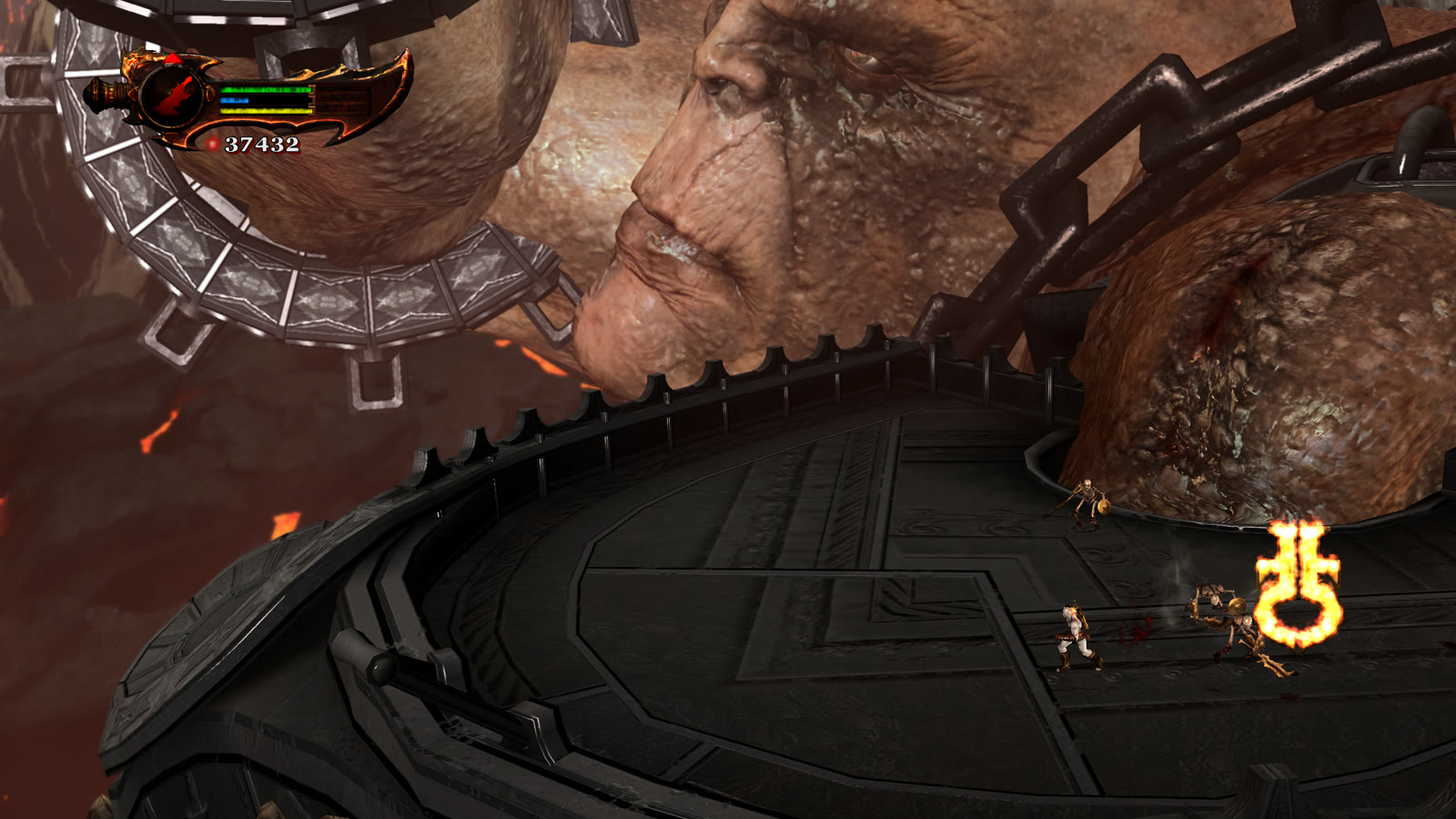
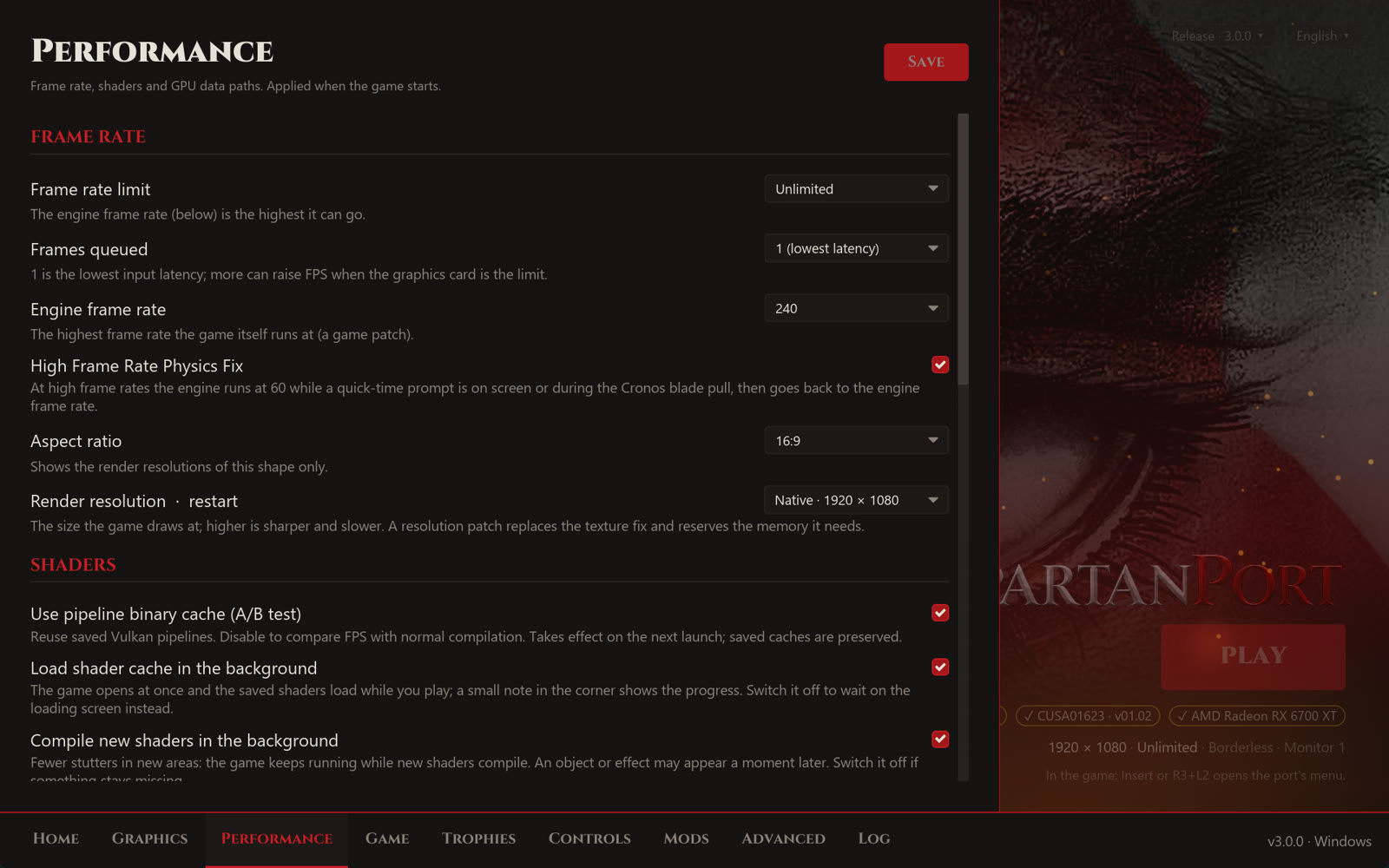
- High Frame Rate Physics Fix (on by default, Performance page and in-game menu). Before: at 120 to 240 FPS some quick-time sequences broke (Poseidon's horses, button-mash prompts), because their timing was tuned for 60. Now: while any QTE prompt is on screen the engine runs at 60 FPS, held 5 seconds after the last one, then returns to your rate. Your saved rate never changes. Chests and other hold-a-button prompts keep your rate.
- Cronos blade pull. Before: at 240 FPS one specific R1 pull in Cronos threw Kratos out of the map, with no way forward. Now: an R1 near that pull runs the engine at 60 FPS for 4 seconds. Every other R1 is untouched, on any controller and on the keyboard.
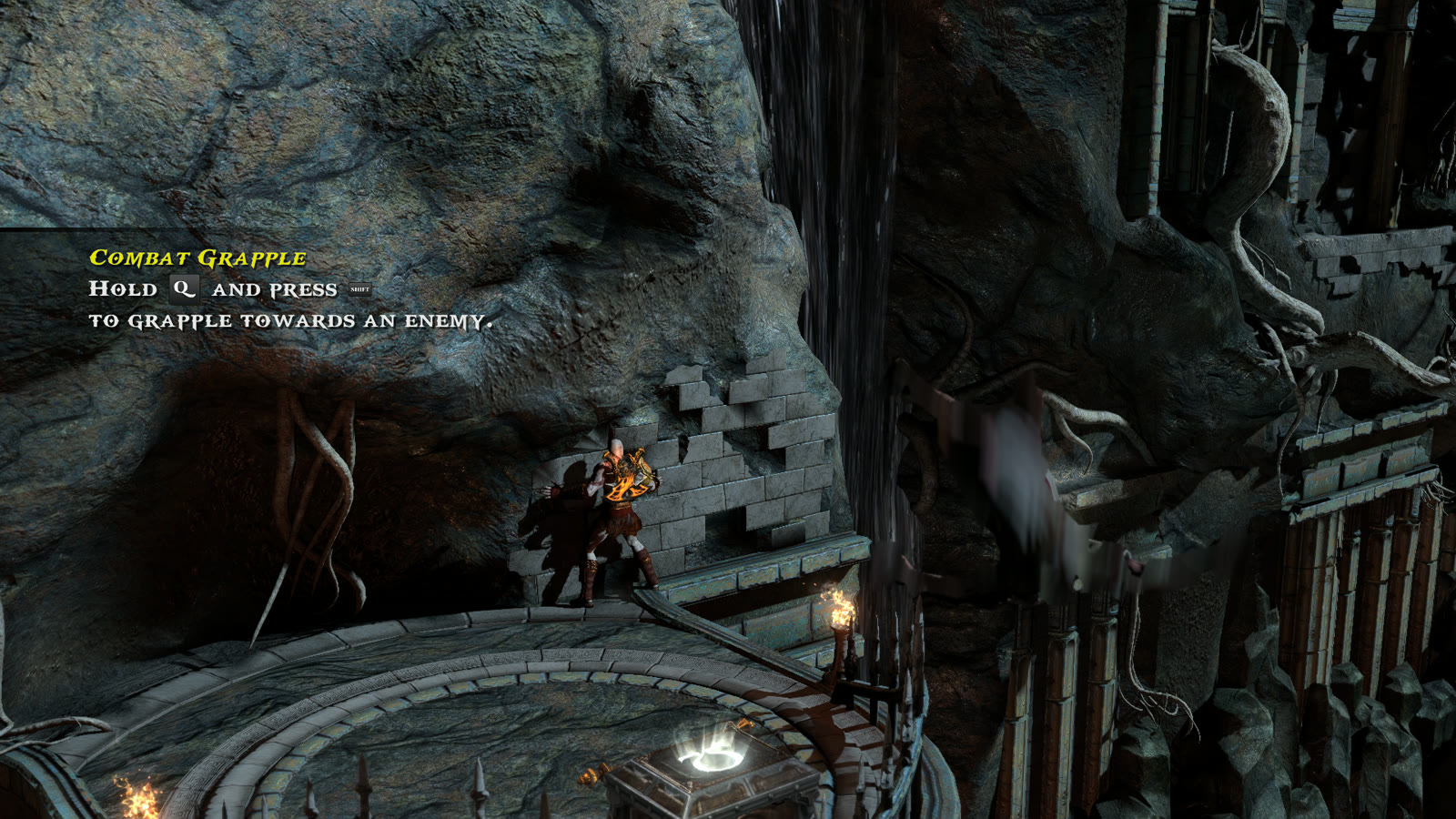
- High FPS Wall Seam Fix (new patch, on by default). Before: at high frame rates Kratos often slipped off the Realm of Hades wall before the three judges, after Apollo's bow, because each frame's small step landed in a seam of the wall. Now: a miss right next to the last real hit reuses that hit, and Kratos holds the wall.
Graphics
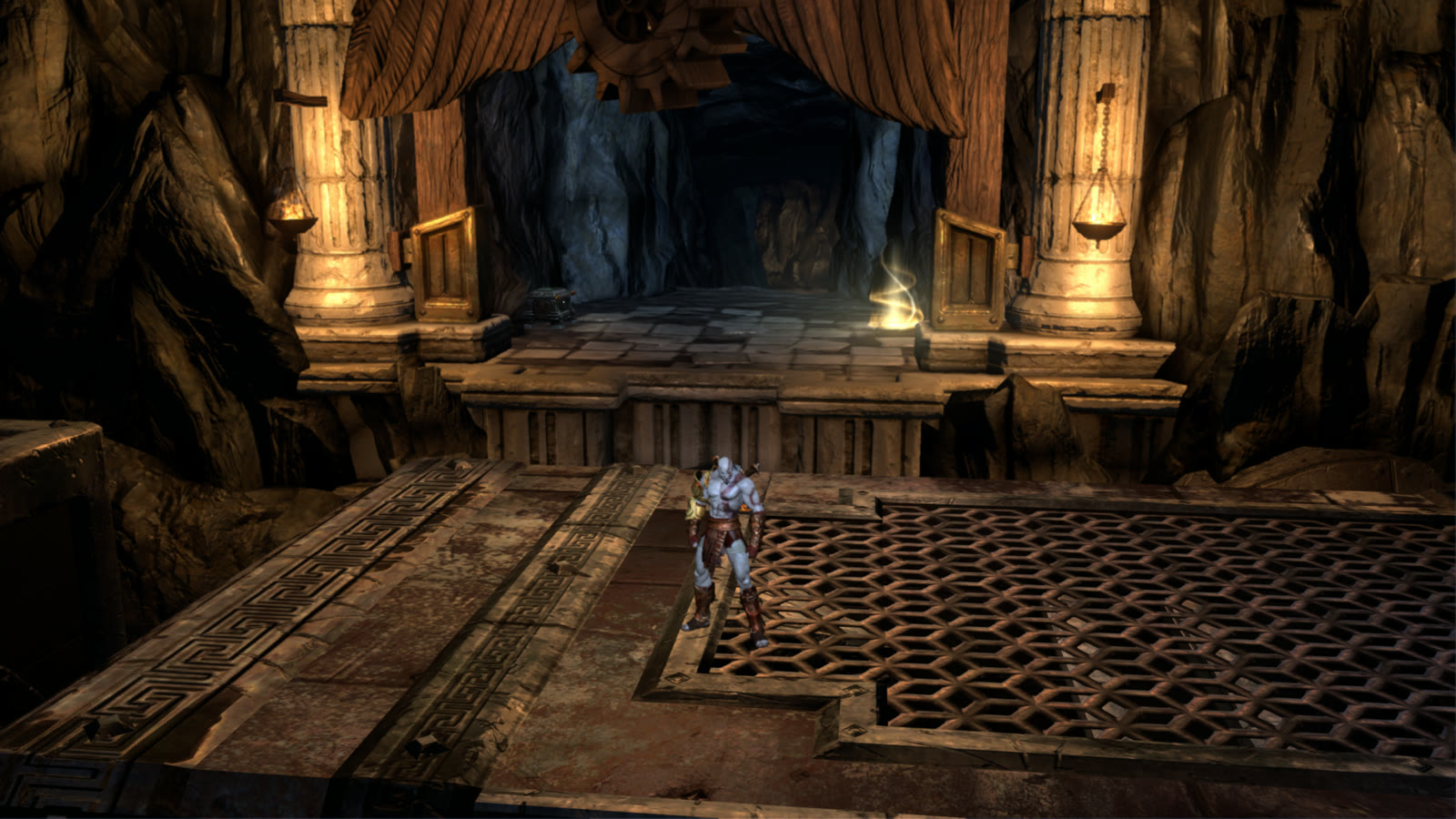
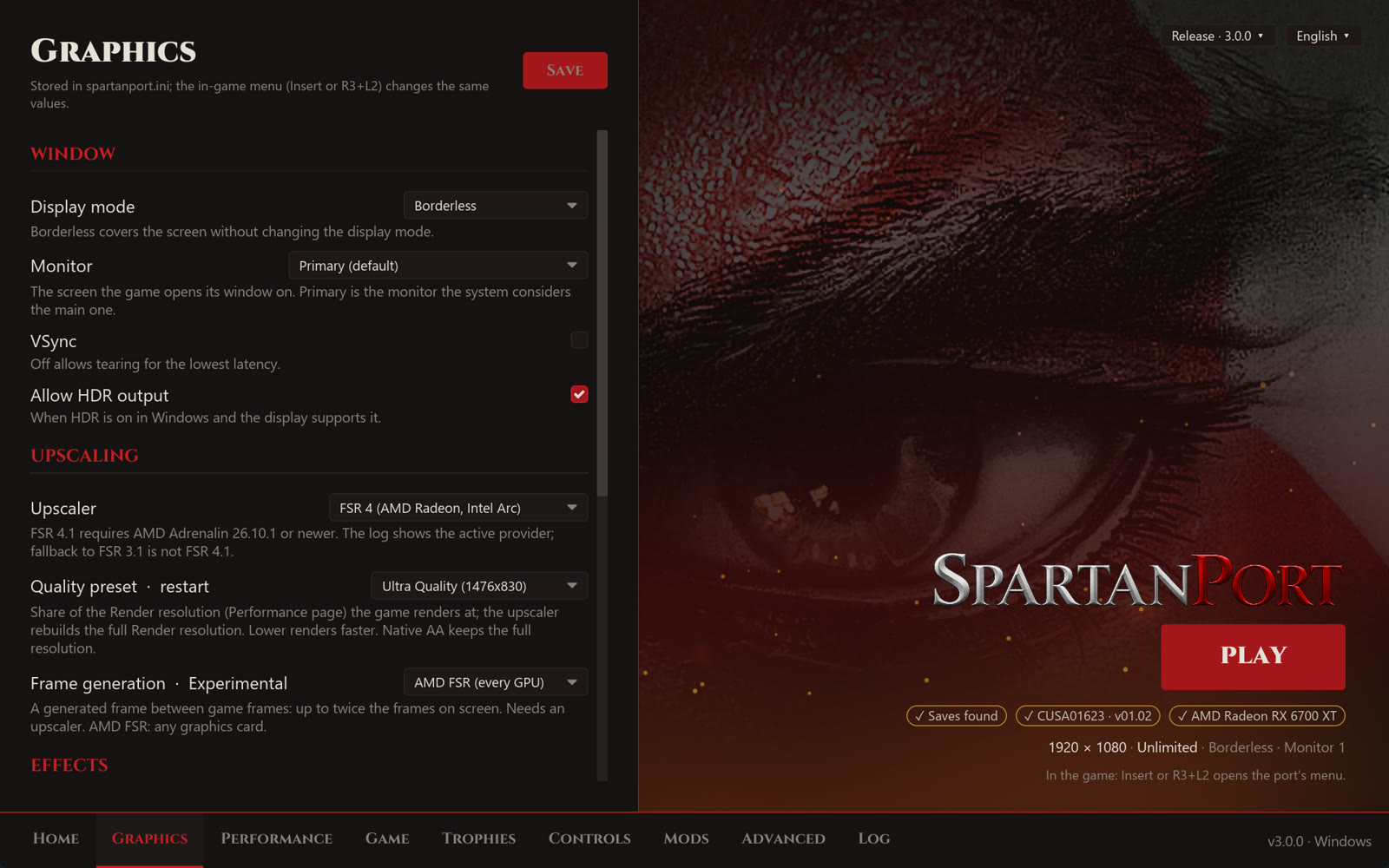
- AMD FSR upscaling and frame generation (#1123): FSR 3.1, FSR 4 and FSR 4.1 upscalers, and FSR 2x frame generation on any graphics card, from the launcher and the in-game menu. The Information block of the menu's Image tab shows the render size, the upscaler and the frame generation status.
- Frame generation is experimental. It needs an upscaler, and in some areas it stays inactive (see Known issues and #1149). The launcher labels it Experimental.
- FSR 4.1 on RX 6000: AMD's driver for these cards ships FSR 4.1 for DirectX 12 only, without the Vulkan runtime (
amdvkffx64.dll), so the game uses FSR 3.1 instead. - NVIDIA DLSS removed: it did not work as intended. Saved DLSS choices load as Off.
- Options > Graphics in the game's own pause menu (#957, issues #741 and #887): Texture Quality, Shadows, Motion Blur and Bloom apply at once, with no restart. Turning a pass off skips its GPU work.
- More native settings (#980): queued frames, asynchronous shaders, RCAS sharpening and anisotropic filtering under Graphics; resolution, aspect ratio, frame rate limit, monitor, display mode, VSync and HDR under Display; button icons, vibration and mouse settings under Controls.
- Motion blur and depth of field switches (#968), off removes them.
Trophies and menus

| 
|
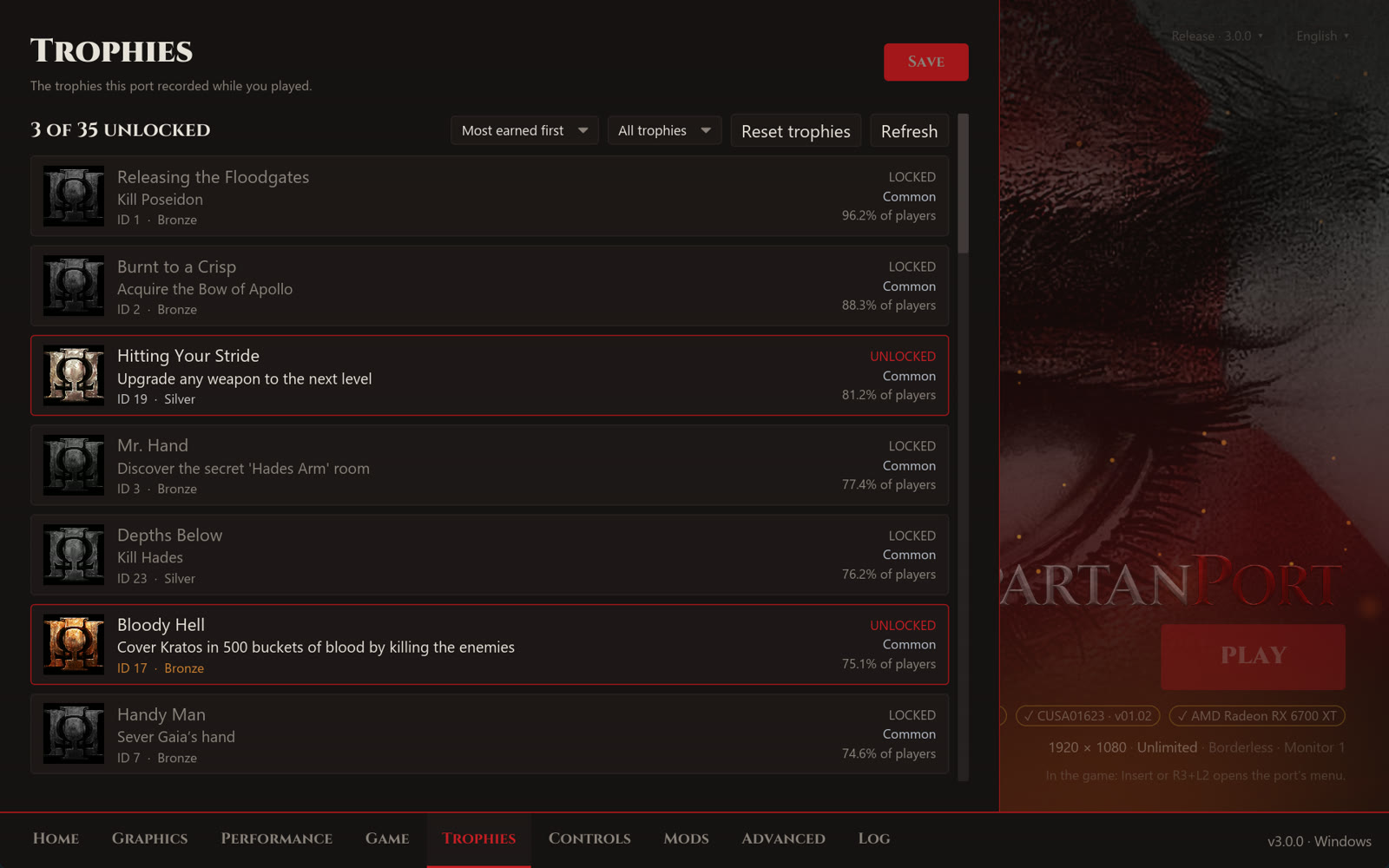
Pictures from #973: the trophies shown are made up for the demo.
- Trophy window (#973): F8 or R3 + R2 opens two pages. Trophies shows each trophy's grade as a cup, the share of players who earned it and its tier (Common to Ultra rare), with an order and grade and state filters. Notifications chooses the look and sound, with previews.
- New notification defaults: the Card, cinematic platinum theme, 7 seconds on screen, platinum light at 100% and the grade written. A
notifications.iniyou saved before keeps its choices. - Built-in unlock sound: a short run of rising bell notes, made for SpartanPort, two notes longer for the platinum. Your own sound files in
user/custom_trophystill win. - The game pauses while the Insert menu or the trophy list is open (#973). Game tab > Pause the game turns it off.
- Menu restyle of the save list and the enemy health bar (#973), and the Insert menu in 11 languages, switchable in the game.
- Cross or Circle to confirm in the save dialogs, the text keyboard, the Insert menu and the launcher (#1007, issue #934). Gameplay buttons do not change.
- Newest save first (#1009, issue #994): the save, load and delete lists are sorted by date.
- Trophies on Linux AppImage (#1070, issue #1062): trophy names and unlocks are kept again; they showed "Trophy ID" and were lost on restart.
Controls, audio and gameplay
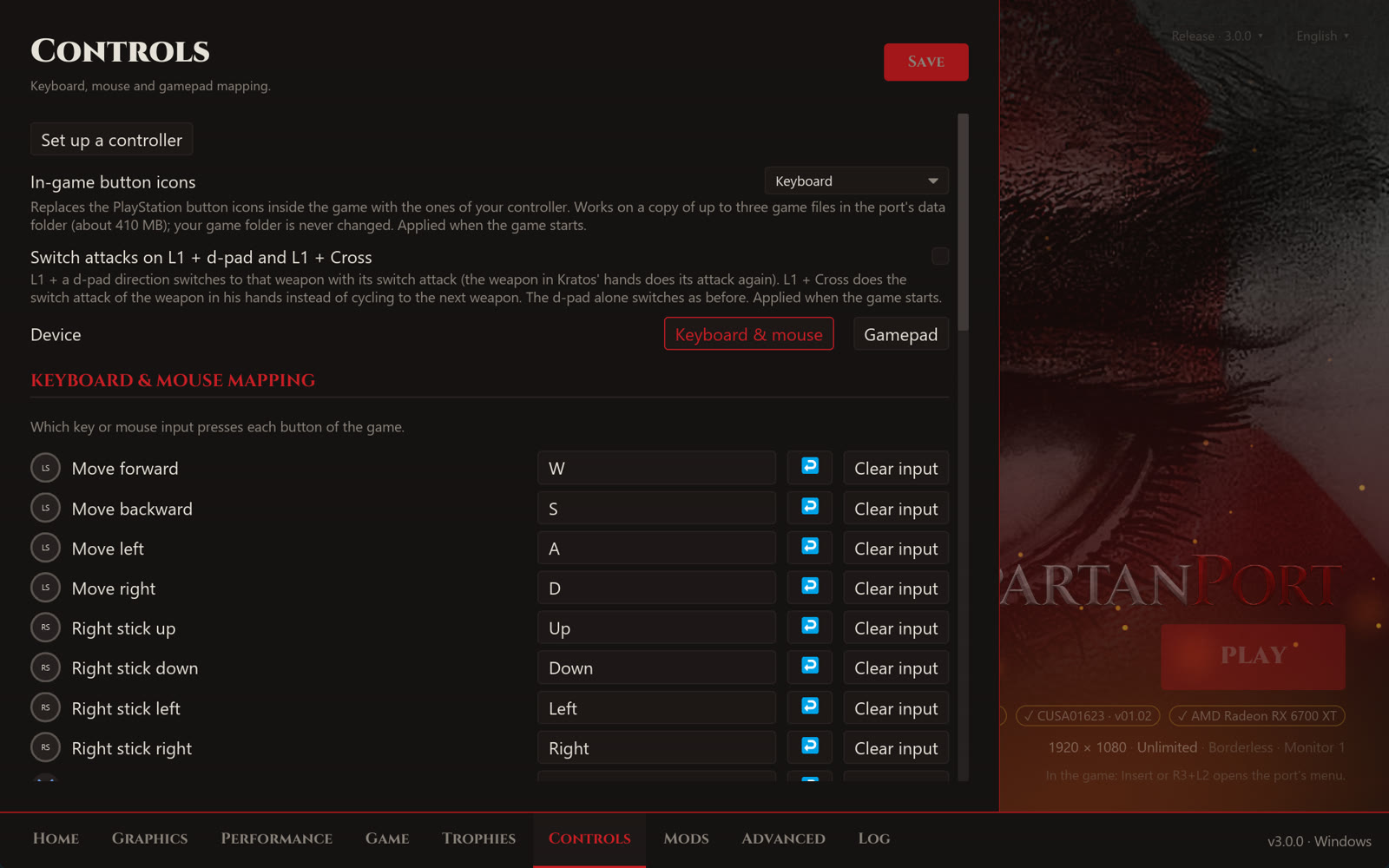
- Full keyboard stick remapping (#983): all eight stick directions in Keyboard & Mouse Mapping, with dodge, rotation QTEs and key icons following your keys.
- Weapon cycling on the mouse wheel (#614); in the game's menus the wheel moves the selection instead.
- Generic USB controllers (#694): a per-control mapper under Game > Controls for pads SDL does not know, tested with a DragonRise controller.
- Switch attacks on demand (#749): an opt-in Controls option. L1 + d-pad switches to that weapon with its switch attack, L1 + Cross repeats the attack of the weapon in hand.
- 5.1 and 7.1 audio (#968): the game now sees the real channel count, so a surround setup is no longer mixed as stereo. Master volume (0 to 200%) and a soft limiter.
- Weapon upgrade sound (#945, issues #916, #464 and #715). Before: it played about 14 dB above the loudest gameplay, since the game sends it to the controller speaker. Now: that port is turned down by 15 dB.
- Damage multiplier (#1140). Before: with a high multiplier some enemies never staggered, never offered the finisher and never died. Now: damage is multiplied before the game checks its health thresholds.
Stability and Linux
- Shared runtime fixes (#1005): 13 fixes from ports that share SpartanPort's C runtime, among them starting past the Windows commit limit (error 1450), guest handles below 1 TiB, the PS4 floating-point state and a lock that stalled the GPU thread.
- Exit code 21 at start (#1076, issue #1075). Before: when another program's DLL sat inside the PS4 address range, the game closed at once. Now: the game places its memory around it and the log names the module.
- AppImage without OpenCL (#792, issue #704): the AppImage starts on systems like Batocera that have no system OpenCL.
- Arch Linux PKGBUILD (#619).
- Issue forms with automatic labels (#1010).
Requests addressed
| Issue | Fixed by |
|---|---|
| #464, #715, #916 Weapon upgrade sound too loud | #945 |
| #704 AppImage does not start without OpenCL | #792 |
| #741, #887 Option to turn off motion blur | #957, #968 |
| #914 Dark title bar in the launcher | #956 |
| #934 Swap Cross and Circle in menus | #1007 |
| #994 Newest save at the top of the list | #1009 |
| #996 Graphics settings in the game | #957, #980 |
| #1062 Trophy names and unlocks lost in the AppImage | #1070 |
| #1075 Exit code 21 at start | #1076 |
| #1115 Generic USB controller (DragonRise, VID 0079) not detected | #694 |
| #311, #754, #835 5.1 surround and master volume | #968 |
| #548, #738 Keyboard right stick configuration | #983 |
| #927 Customizable trophy notifications | #973 |
#835 and #927 stay open until players confirm the result on 3.0.0.
Known issues
Same as 2.7.0: see the 2.7.0 release notes. This release is not a general fix for startup crashes, loading hangs, corrupted textures or integrated GPUs. Also:
- Frame generation inactive in some areas (#1149). Checked so far: it works in Tomb of Ares, Hades Palace, Chain of Balance, Chamber of the Flame, The Forum, Poseidon's Chamber, Aphrodite's Chamber and The Caverns, and stays inactive in Cronos, Entrance to Ares Tomb, Realm of Hades, Hades Throne Room, The Forge, City of Olympia and The Path of Eos. Later areas are not checked yet.
- Infinite loading screens on some area transitions (#1131) and missing areas or floors where Kratos falls through (#1133) are still being tracked, with test builds in those issues.
- Intel integrated GPUs (#334, #1055, #1018, #1126 and others): the fixes from the
intel-testbuilds are not in this release yet. Keep using the latest Intel test build linked in those issues. - Texture corruption on some systems (#1059, #1080, #1137) and an ultrawide regression (#822) remain open.
- Bloom off breaks menu text: with Options > Graphics > Bloom off, the text in the game's own menus, such as the weapon upgrade menu (Start), is drawn wrong. Turn Bloom back on while using those menus.
- Game speed: some players see the game run faster than its cap (#1083, #1074, #1027).
- High frame rates can still block traversal or QTE sequences not covered by the new fixes. Switch to 60 FPS with F9 or R3 + L1 + R1 for that part, and please report where.
- Trophies are local: PlayStation unlocks are not imported.
- macOS remains a separate test build (#425, #962).
For a new or continuing problem, open an issue with the release version, operating system, CPU, GPU and driver, render resolution, game title ID and update version, reproduction steps and the relevant log.
Validation
- High frame rates (#1144): validated in game at 240 FPS by the maintainer: Poseidon's horse sequences and mash prompts at 60, nine Cronos blade pulls at 60, chests and other R1 at 240, and the Realm of Hades wall before the three judges. Passed the pad, player-hook, ledge-hook, qte-hook, graphics-settings and ui-language tests.
- Launcher (#959, #1144): the full Rust launcher suite on Ubuntu and Windows in CI (
cargo fmt,clippy -D warnings, about 780 unit tests and the UI snapshots). Settings imported from a 2.7.0 install checked by hand: shader notes off, the wall seam patch ticked. - Update from 2.7.0 (#959):
--install-updateover a copy of the 2.7.0 package exited 0 and opened the Rust window; the Python leftovers were removed whilesettings.jsonanduser/stayed. Add to Steam and the voice swap were checked on Windows. - Trophy notifications (#1144): the defaults and the built-in sound checked in game by the maintainer, with the trophy-toast and ui-language tests.
- Frame generation (#1123): checked area by area by the maintainer with the saves available; results in Known issues.
- Release candidate validated in game by the maintainer on Windows 11 with an RX 6700 XT. This is a scoped manual check, not a full playthrough per setting.
- Final packages built from
a2299cd59bc363fb9d0dbfe11cac26c2a49e5aaa: the Windows ZIP workflow passed its clean-runner launcher smoke test without MSYS2. The Linux AppImage workflow passed its launcher smoke tests. Both packages, their SHA-256 files and the release stamps are attached to this release. - Downloaded the attached Windows ZIP and verified its SHA-256 checksum; it carries
SpartanPort.exe,Play SpartanPort.exe, the formerGod of War III.exeandPlay God of War III.exethe older updaters and shortcuts look for, and no Python files. Its stamp readsrelease3.0.0. - No final-package gameplay validation has been completed for 3.0.0 on Linux.
- Other PRs: focused tests and player checks recorded in each PR. No full-suite result is claimed for the whole snapshot.
- macOS: not built or tested for this release.
Credits
Thanks to @devLucasEmiliano for the Rust launcher, and to @AkiraSaito-png, @GabrielTeles845, @MayankS-Code, @R8s6, @Rajinder798, @VHXXIII, @edinaldoof, @fel-cesar, @hmathsan, @kc-anderson, @maze1377 and @richardheise for contributions included in this update, and to the players who supplied reproductions, logs and in-game checks.
This project builds on the work of Supermedo/bloodborne_pc, deadinside28/bloodborne_pc and shadPS4.
Full changelog: 2.7.0 to 3.0.0