
Sideraven 1.3 makes the Sidebar easier to live with: a Search Pop-up that puts your open tabs first, a first-run tour, media controls in the Sidebar, and Sideraven's settings inside Fenix's own search. It is built on Firefox 159.
New features
-
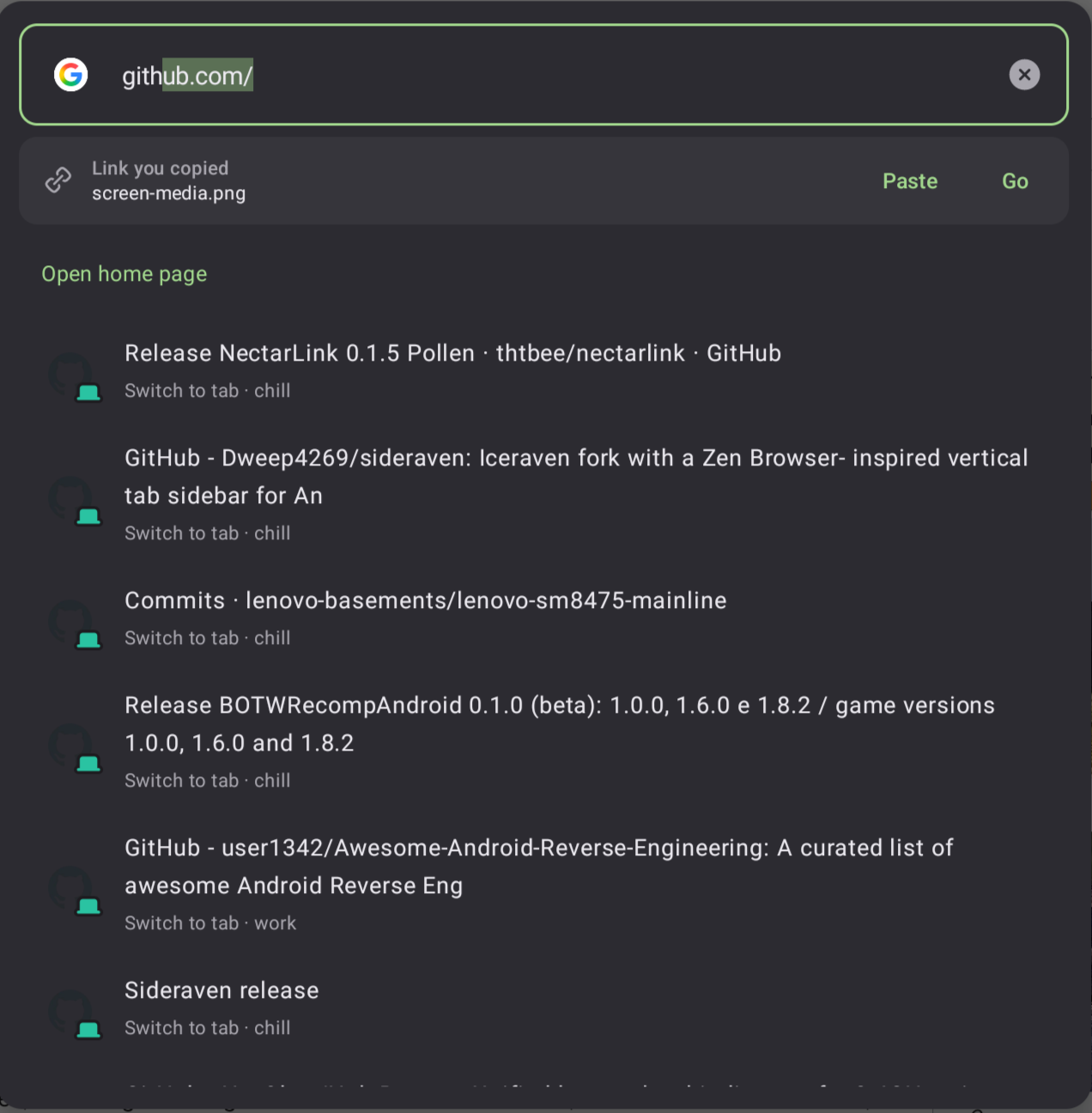
Open tabs first in the Search Pop-up. Typing an address or a page title now puts matching open tabs above everything else, each naming its Space. A "Go to" row appears for addresses, and Enter still searches when that is what you meant.
-
Find any Sideraven setting. Fenix's settings search now includes Sideraven's rows: type "sleep", "corner" or "memory" and land on the right row with its category.
-
A first-run tour. Three steps explain Spaces, Essentials and the Sidebar's modes. Skip it or replay it from Sideraven Settings.
-
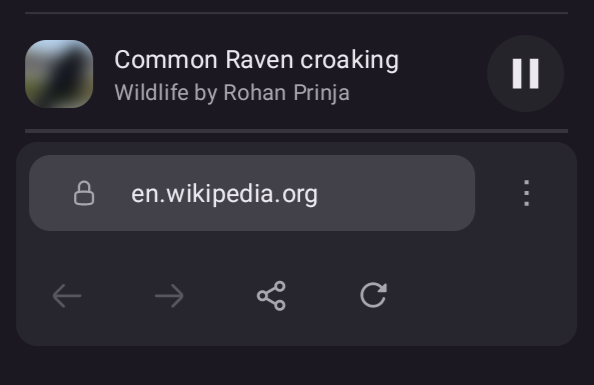
Media controls in the Sidebar. The tab playing audio shows a speaker mark, and a compact row controls it without leaving the page you are reading: play/pause, previous/next where the page offers them, and a progress line. Tapping the row opens that tab. The row follows the playing tab, not the tab on screen.
-
Updates & notes. Sideraven checks GitHub for a newer release and shows its notes and download link in the same sheet; after an update it shows what changed. The sheet opens at the update line; pull it up for the notes. Reopen it from Sideraven Settings.
-
Rounded page corners. The page can sit in a rounded frame beside the Sidebar: 0–24dp, with presets and a slider (12dp by default). Look and feel → Corner radius.

-
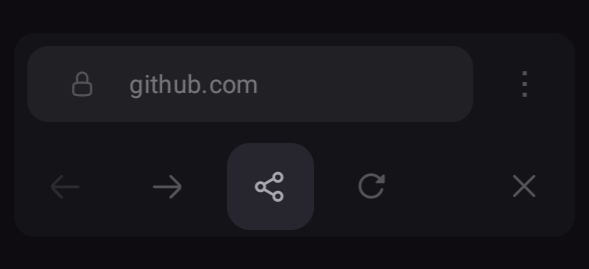
A Share button in the Sidebar Address Bar. Beside Back and Forward, it opens Android's share sheet with the page's URL and title, as Fenix's three-dot menu does.
-
Keyboard shortcuts for tabs and history. Ctrl+Tab and Ctrl+Shift+Tab cycle the current Space; Alt+Left and Alt+Right move through the tab's history. (Contributed by Csaba Huszár.)
-
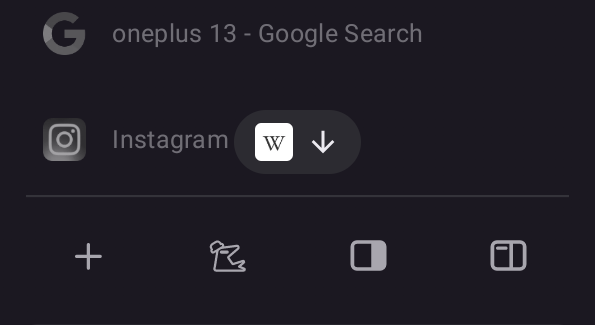
The Tab List opens on the tab you are on. A small pill points the way when the active tab is out of view.
-
Close to where you were. Closing a Space's selected tab lands on the most recently used tab in that Space; an emptied Space goes to the last active Essential, else the first.
-
Send to desktop when it can land. The action is offered only when Zen Sync can deliver it, and a failed upload stays queued with a way to remove it.
Changes
- Firefox base updated, from Iceraven.
- Swipe-to-close is angle-locked and stricter, so a sideways scroll no longer closes a tab by accident.
- The buttons row steps aside as the Tab List scrolls, and returns on an upward scroll.
- Switching Space lands on the tab that Space was last on, and the homepage tab stays out of the Tab List.
- The sill and trail follow the frame's colours, including the Space's accent.
- Auto-Sleep's marks survive a restart, and restored tabs wait before they can sleep.
- A Custom Tab opened from the Sidebar follows the New Tab Position setting.
- Zen Sync catches up automatically within five minutes while the app is in front.
- The Settings search remembers where you have been, and the Search Pop-up keeps its recent searches.
- Sideraven Settings now has an icon for each section.
Fixes
- Fixed the Search Pop-up crashing while typing when an open tab matched.
- Fixed the Sidebar's mute button only ever muting: it now flips to Unmute and restores the tab.
- Fixed the first-run tour crashing the app on launch by reading its state off the main thread.
- Fixed the Address Bar's share opening a bare chooser instead of Android's share sheet.
- Fixed the Search Pop-up's open-tab rows losing their Space names after the list refreshed.
Notes
- The first-run tour and the what's-new notes are shown once per version. Replay the tour or reopen these notes from Sideraven Settings.