
Update: press Update, then Set up again once (new game hooks for Quit Game, Sort, the mouse mode key and the longer camera aim reach; your saves and shaders are kept).
The Monkey patch is all about quality of life: tidy bags in one press, aim where you look from farther away, finally use the Joy-Con 2 mouse mode, and play from a handheld without ever touching a keyboard.
Highlights
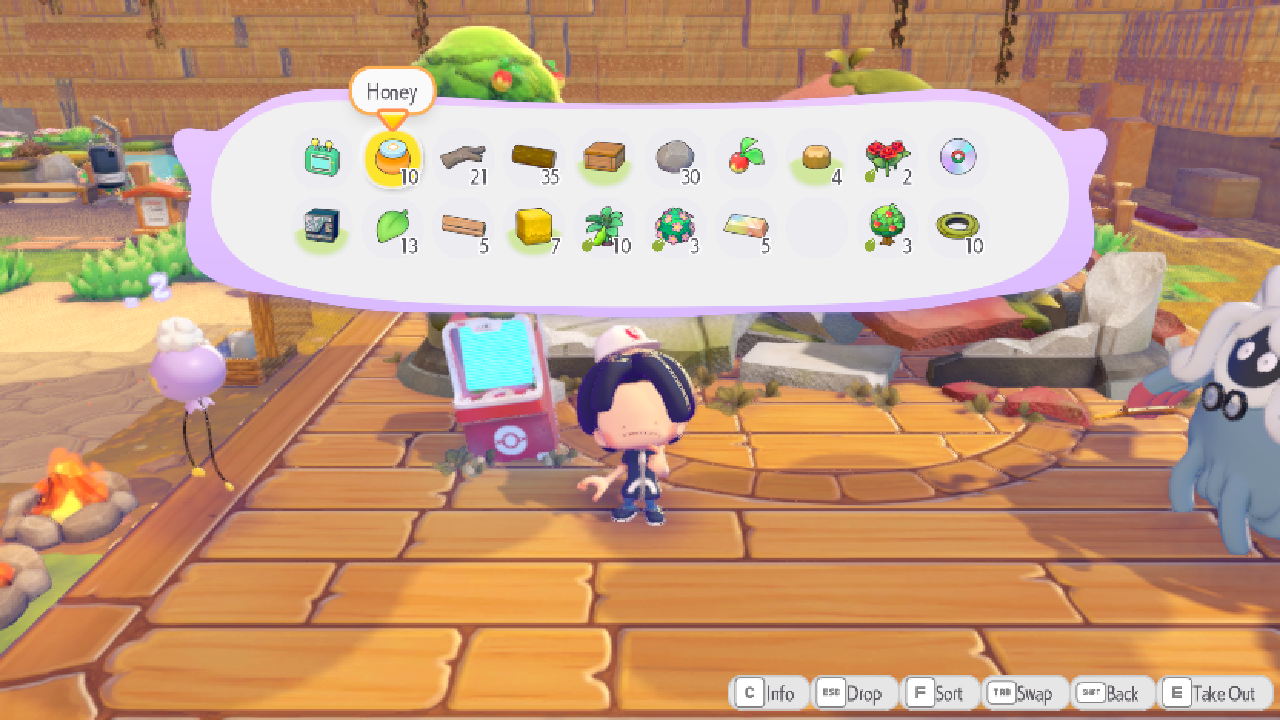
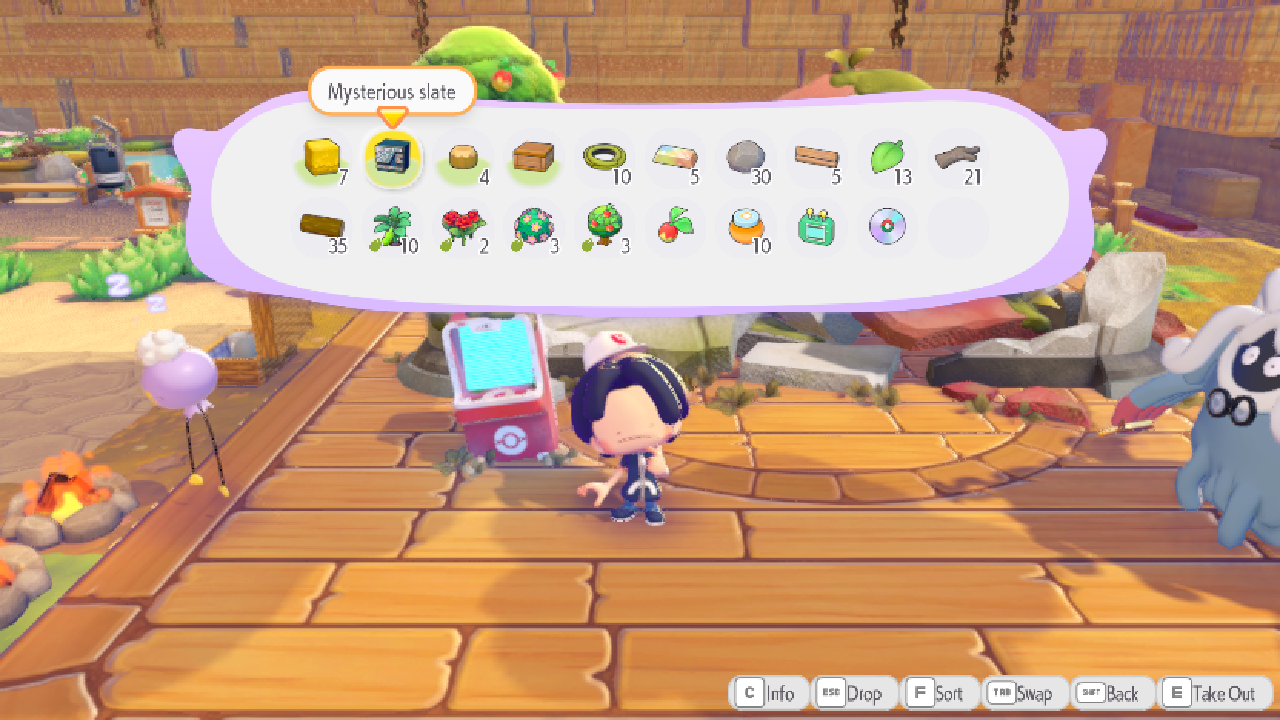
- Added a Sort button to your bag and every storage box: one press stacks everything up and puts it in order (#323)
- Fixed the Joy-Con 2 mouse mode: middle mouse now really turns on the game's own pointer, so you can point and click to break and place blocks, and you can bind it to any key (#367)
- Changed camera aim and running jump momentum to on by default, and camera aim now reaches 2 blocks farther
- Added full controller and touch support for handhelds: drive the launcher with a pad, tap a Menu button for the in-game settings, and map the Steam Controller's back grips and trackpads
Known issues
- While the Joy-Con 2 mouse mode is on, the game holds you on Rock Smash and you can't swap tools: that's how the game's own mouse mode works. Press the mouse mode key again to swap
- Sort does nothing during Link Play, to keep both players' bags in step
- The Close the game? box on the title is the PC port's own, so it doesn't look like the game's menus yet
Game
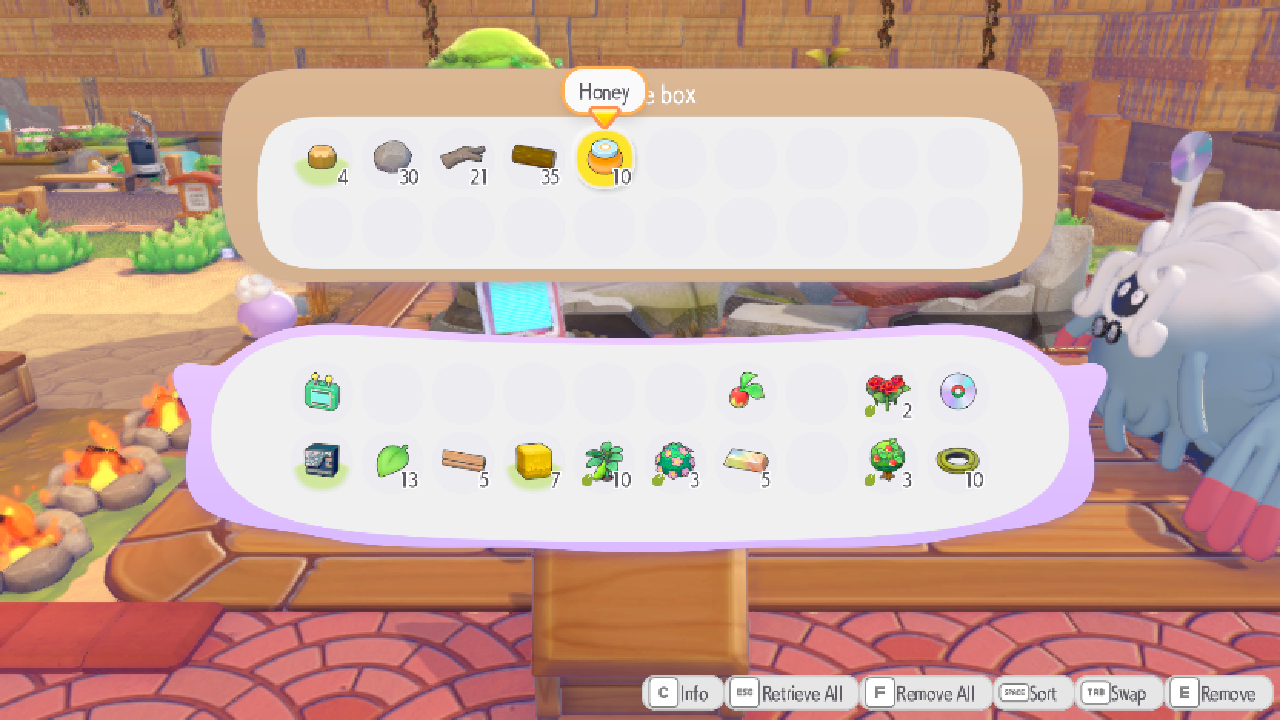
- Added a Sort button to the bag and to storage boxes (#323)
- Before: tidying meant moving items around one by one
- Now: press Y (keyboard F) or click Sort in the button bar. Half-full stacks of the same item merge (up to 99), then everything lines up by type with the empty slots at the end. Nothing is ever lost
- In storage boxes Y is the game's own Add Stack / Remove All, so Sort is on R there (keyboard Space)
- Sort tidies the panel your cursor is on. Holding X still rearranges like before
- Want it gone?
[pkp] inventory_sort = 0inpkp.ini. Want the bag sorted every time you open it?[pkp] inventory_autosort = 1
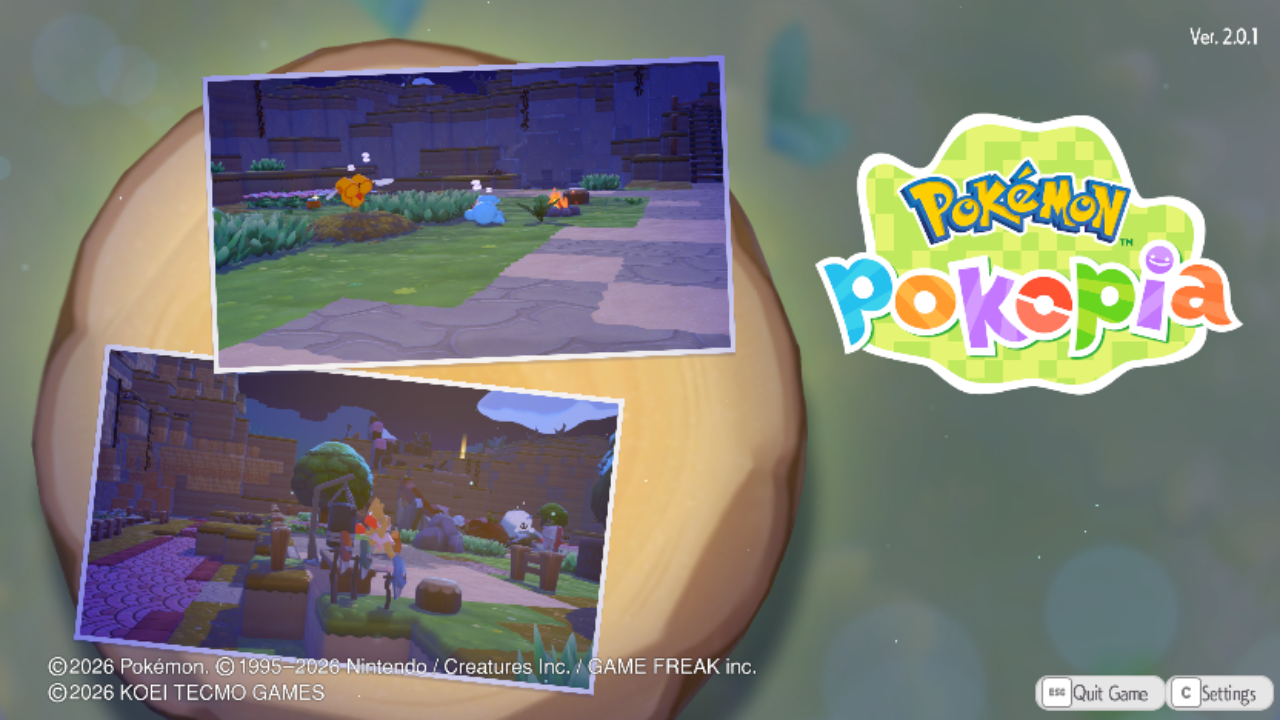
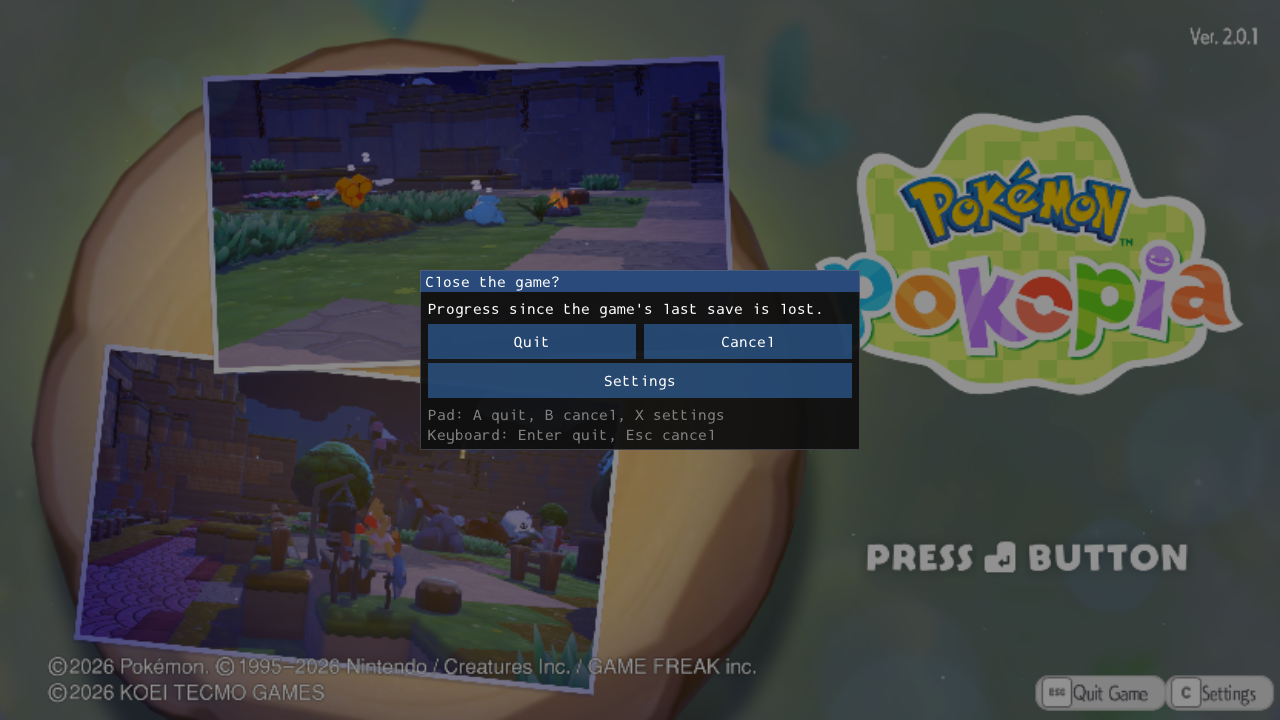
- Added Quit Game to the title screen, next to Settings (#319)
- Press (+) (keyboard Esc) or click it: Quit closes the game, Cancel takes you back
- Shown in your game language.
[pkp] title_quit = 0inpkp.inihides it
| Before | After |
|---|---|
| 
|
| Title screen | Quit Game pressed |
|---|---|
| 
|
Gameplay
- Changed camera aim and running jump momentum to on by default (#368)
- Camera aim: abilities and tools hit where your camera looks, not just where your character faces
- Running jump momentum: a running jump carries your running speed instead of slowing to the game's fixed air speed. Jump height is the same
- Don't like them? Turn them off in Settings > Game > Gameplay, or
[pkp] camera_aim = 0/jump_momentum = 0. If you had switched one off already, it stays off
- Added 2 blocks of reach to camera aim (#370)
- Before: camera aim only reached the block right next to you
- Now: look at a block up to 3 away and Water Gun, Leafage, Rototiller, Rock Smash, Cut, their upgrades and block placing all land there
- The A button for talking and picking things up keeps the game's normal range.
[pkp] camera_aim_reachsets the extra blocks (0 to 4, default 2)
- Removed the "always in Joy-Con mouse mode" behaviour that came with camera aim in 0.8.2
- Camera aim now aims like in 0.8.1 and your tool is never switched for you
- Fixed the Joy-Con 2 mouse mode key doing nothing (#367)
- Before: middle mouse freed your cursor, but the game never switched to its pointer mode, whatever key or trigger you picked
- Now: middle mouse turns on the game's own pointer, just like laying a Joy-Con 2 on its side on a Switch 2. Point, left click to break and place, press middle mouse again to go back to the camera. The pointer lines up at any resolution, and camera aim steps aside while it's on
- Rebind it to any key, mouse button or wheel notch in the game's Settings > Mouse > Mouse Mode Key (move the row, then press the key; Esc cancels), or on the F1 Controls page
Graphics
- Removed the view distance setting: the world is always drawn as far as on the console (#249)
- Before: anything above 1x made shadows follow the camera, put seams in block textures and left pictures in frames blank until you walked up
- Now: always 1x. The slider is gone from every menu and preset, and an old
view_distanceline in your ini is ignored
Controls
- Added support for the new Steam Controller (and other Valve pads): it's recognised as its own controller
- Added Steam Controller button icons (art by Kenney, CC0)
- Pick them under Button Icons (launcher Controls tab, or F1 > Controller), or
[prompts] style = steamincontrols.ini - Automatic picks them when the game sees the Steam Controller directly. With Steam Input on, Steam shows the game an Xbox pad, so you get Xbox icons
- Pick them under Button Icons (launcher Controls tab, or F1 > Controller), or
- Added the Steam Controller's back grips and trackpad clicks to button mapping
- Six new rows under Controls > Button layout (launcher and F1): R4, L4, R5, L5, the left trackpad click (also the PlayStation touchpad click) and the right trackpad click
- They do nothing until you give them a button, so nobody's setup changes
- Added touch screen support (Steam Deck, ROG Ally, Legion Go, touch laptops)
- A Menu button in the bottom left corner opens the F1 settings, so a handheld never needs a keyboard. The menu gets bigger rows, buttons and scroll bars
- Taps still work the game's menus, but a tap during play no longer swings your tool, and touching the screen no longer swaps the button icons to keyboard keys
- On by default when a touch screen is found.
[overlay] touch_button = offturns it off
Launcher
- Added controller navigation to the launcher (great for Steam Deck, ROG Ally and other handhelds)
- D-pad or left stick moves, A presses, B goes back, LB / RB switch pages, the right stick scrolls
- Sliders change with left and right, drop-downs with up and down
- A thick focus ring shows while you use a pad and hides when you touch or click
- Changed the launcher on touch screens: no more double-tap zoom or tap delay
For developers
runtime/games/pkp/pkp_play.cpp: mid hooks 0x71002fa6f8 / 0x71002fa8a0 / 0x71002fa8ec let the game's mouse-mode check (0x71002fa6ac: two Joy-Cons + the save's mouse option) through for the local player while the Mouse mode key's request is on;jc2_mouse_set_pointer_spacegives Nmouse x, y in the game's screen size;GameHostgains the rebind capture (begin_capture/capture_result)- nvn: an opt-in, off-by-default experiment for the recurring small-texture readback hitch (#276): completion-polled readback with private buffers. Not a fix yet
- Release workflow: the third-party base payload now comes from our own v0.8.2 release (the upstream v0.1.1 repository is gone); the AppImage bundling retries up to 3 times